
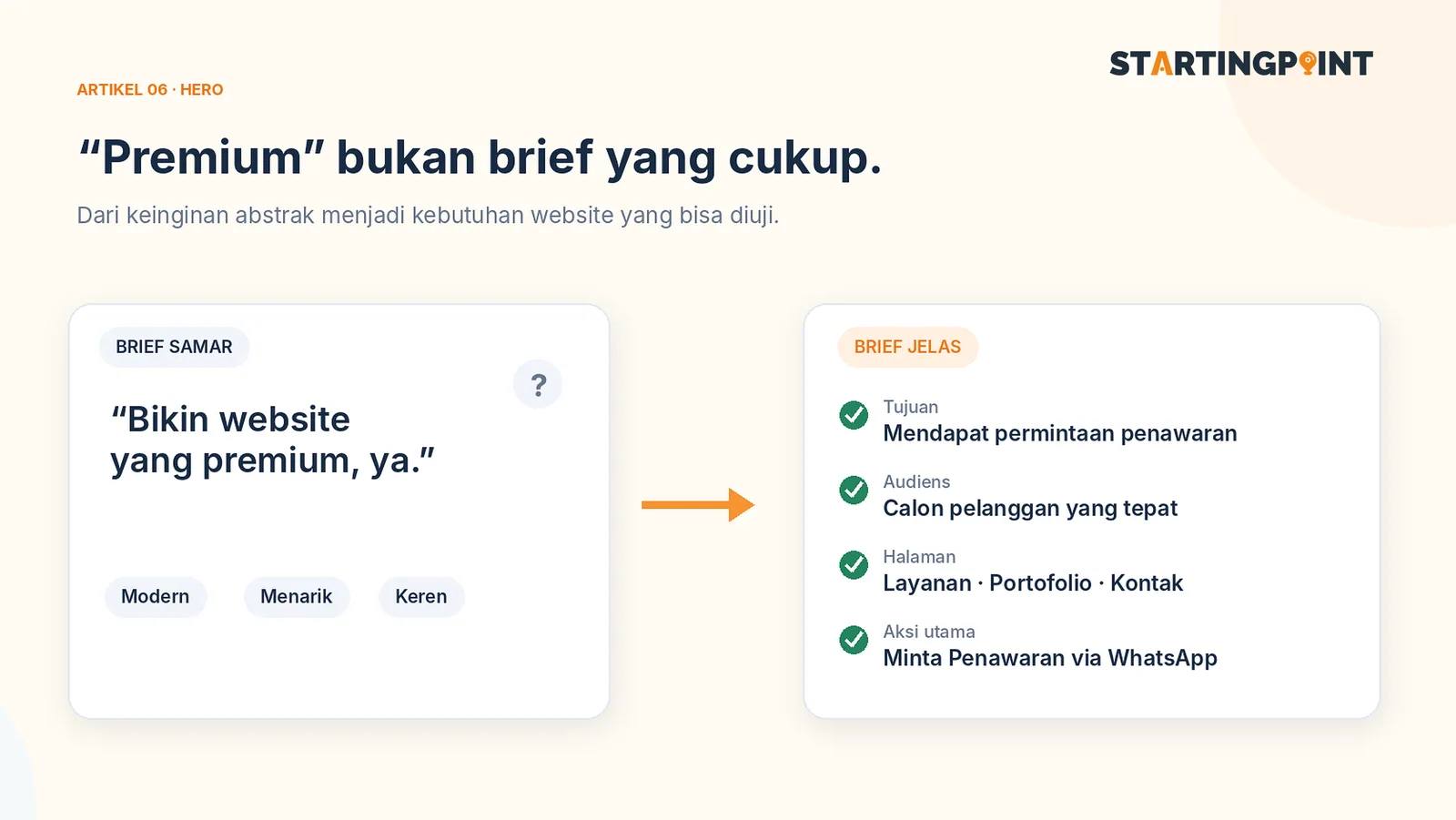
“Build a website that's modern, premium, and easy to use.” The sentence sounds clear, but a business owner, a designer, and a developer can interpret it very differently. The result is round after round of revisions—not because anyone is incompetent, but because the needs were never translated into decisions that can be tested.
A website brief is a summary of the business goals, users, content, features, and scope of work. A good brief doesn't need to be dozens of pages. For a small business website, one to three concrete pages are often enough as a basis for discussion.
Start with the single most important goal
Avoid goals like “so the business can grow,” which are hard to measure. Write down one change you want to achieve, for example:
- Reduce repeated questions about services and starting prices.
- Help customers compare products before contacting an admin.
- Collect quote requests from prospective corporate clients.
- Let customers buy products without waiting for a chat reply.
Then choose a measure of success. If the main goal is consultations, track clicks to WhatsApp and the number of conversations that match your target. If the main goal is transactions, track completed checkouts and problems during the ordering process.
Know who will read the website
Write down one or two customer profiles you serve most often. Not just age and city, but the questions they bring with them.
For example, an office client looking for catering services may need to know the minimum order, delivery area, menu options, and how to request a quote. They don't yet need a customer account or a points program.
If you can answer your customers' top five questions, the structure of your website usually starts to take shape.
Define the user flow, not just a list of features
Try writing the visitor journey in one sentence: “Arrives from Instagram → views packages → reads sample results → clicks WhatsApp → admin receives the service information they're interested in.”
From that flow, you can map out pages and primary buttons. Features that don't support the core flow can go on the next development list.
Example brief: an office catering business
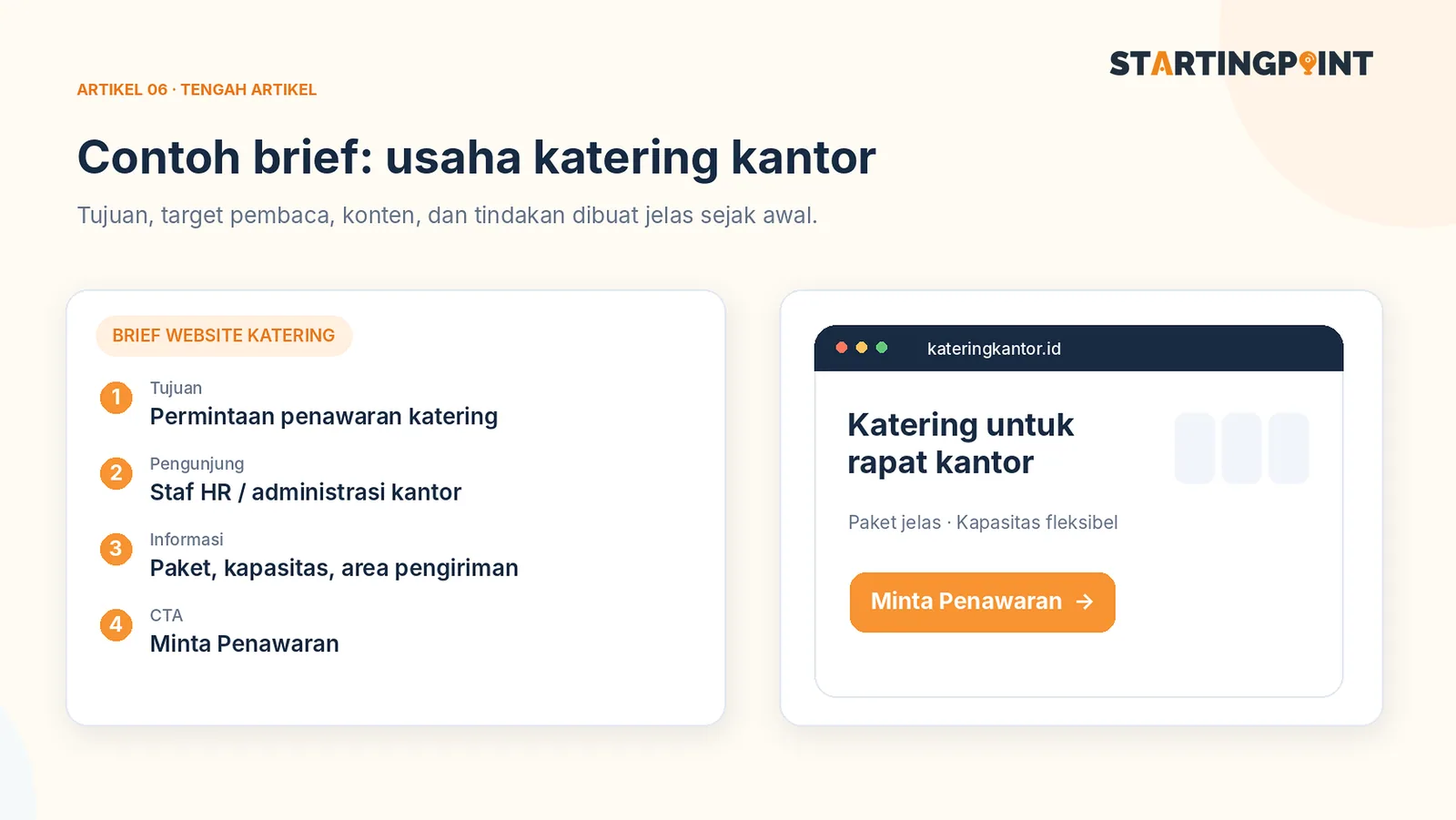
Business name: Sample Catering (illustration) > Goal: receive quote requests for office lunch packages. > Target visitors: HR/GA staff and office event organizers. > Required pages: Home, Packages, Gallery, FAQ, Contact. > Core information: starting prices, minimum order quantity, service area, ordering lead time, menu options, and delivery terms. > Primary CTA: “Request a Quote via WhatsApp.” > Integration: a WhatsApp link with an opening message containing the selected package. > Client-provided content: logo, real food photos, package list, approved testimonials, contact details. > Next phase: a self-service order form once the sales process is standardized.
This example deliberately leaves out automatic payments. The reason: in that scenario, B2B customers still need a tailored quote. A good brief helps you avoid paying for features you won't actually use.
A complete checklist before you contact a developer
Business and users
- Business name and a one-sentence description.
- Target customers and the problems they want to solve.
- The website's main goal and the action you expect.
- Competitor or reference websites, along with what you like and dislike about them.
Pages and features
- A list of required pages and their content.
- Needs around catalogs, forms, logins, carts, payments, or admin tools.
- Apps that need to be connected, such as WhatsApp or internal systems.
- Anything that can wait for a later phase.
Assets and operations
- Logo, brand colors, photos with usage rights, descriptions, and contact details.
- Who approves designs and sends feedback.
- Who updates products or information after launch.
- Whether the team needs a guide for using the admin panel.
Terms of work
- Realistic deadlines and dependencies on client-supplied materials.
- Revision limits and a definition of scope changes.
- Bug warranty, backups, maintenance, and handling of outages.
- Upfront costs, recurring costs, access rights, and final deliverables.
How to evaluate proposals using the brief
Ask each vendor to flag three things: included, not included, and optional. If Vendor A offers five pages and Vendor B offers eight, first check whether the functional scope and content quality are comparable. Don't compare numbers without comparing the results promised.
When you use the same brief, the pricing discussion becomes fairer. The risk of misunderstanding also drops because key decisions are documented from the start.
To decide on the right website format, read landing page vs company profile vs online store. Once you have a brief, you can discuss the scope of a custom website or e-commerce build with the Startingpoint team.
Conclusion
A good website brief isn't a complicated technical document. It answers who your customers are, what they should do, what information they need, and how the results will be measured. That's the foundation of a useful website—before you choose colors, animations, or technology.