
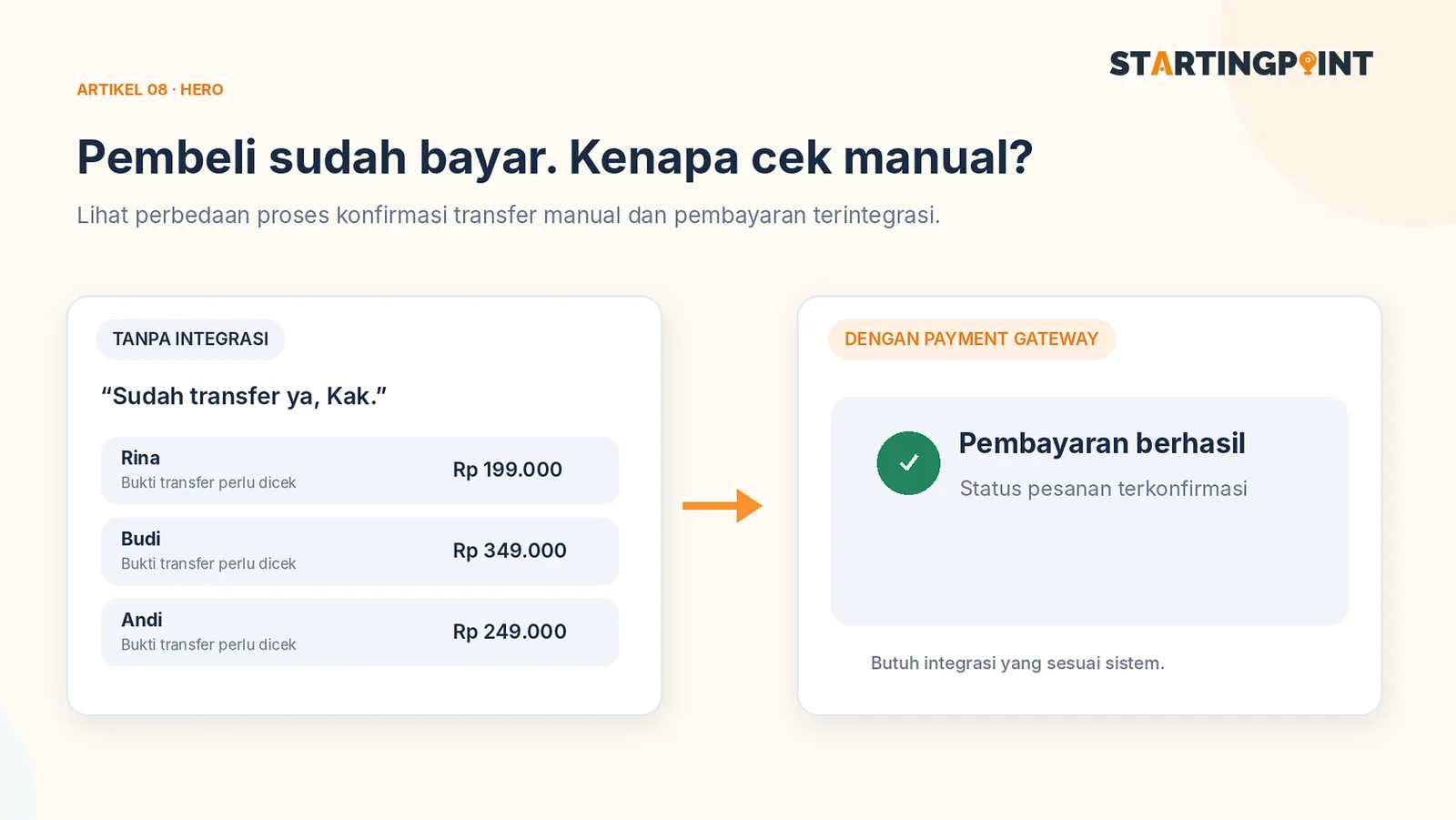
Imagine a customer has picked a product, entered their address, and is then asked to send a screenshot of the transfer to an admin. The admin has to check the bank statement manually, match the amount, and update the order status. With a few orders, this process might still be manageable. As volume grows, the admin work starts eating up time.
A payment gateway can help provide payment options and send transaction status information to the store system. But payment integration is more than adding a “Pay Now” button. The order flow, failed payments, stock, refunds, and reconciliation all still need to be designed.
What happens when a buyer checks out?
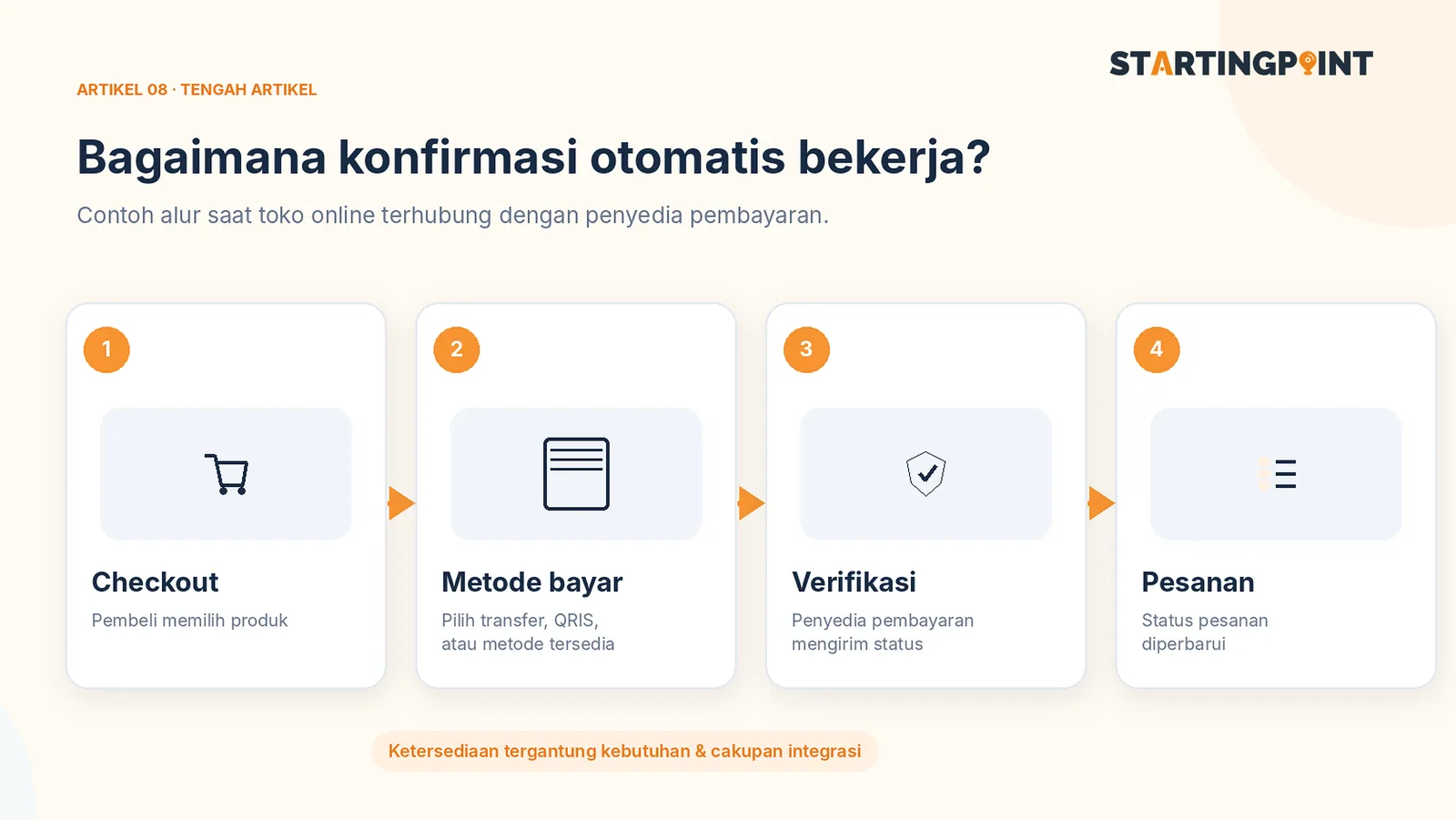
In a simple flow, the customer opens a product, chooses a variation and quantity, enters shipping details, and sees a cost summary. When the checkout is created, the store records the order with an initial status, such as “awaiting payment.”
The system then directs the customer to an available payment channel through the payment gateway provider. Once the status changes, the store receives a notification from the provider and verifies it before marking the order as paid.
Not every payment method confirms instantly. Orders can also expire, be canceled, or fail. That's why both the customer view and the admin panel need to show a clear status.
Core online store features worth prioritizing
A catalog that makes decisions easier
Photos, size or color variants, price, stock or availability, and descriptions all need to be consistent. Products that are hard to understand will still be hard to sell, no matter how sophisticated the checkout is.
A transparent checkout summary
Before paying, buyers should see the subtotal, shipping, discounts, and final total. Avoid surprise fees at the last step. If certain items need a quote, explain that flow instead of forcing them through a standard checkout.
Order statuses you can track
Admins need to distinguish between order created, awaiting payment, paid, processing, shipped, completed, and canceled. The status names can differ, but the definitions must be consistent across the system and the SOP.
Secure payment handling
The integration must verify payment notifications from the provider according to its technical documentation, not just trust page changes visible in the buyer's browser. Avoid storing sensitive payment data the business doesn't need.
Reconciliation and refunds
The finance team needs to be able to match orders, payments, transaction fees, and funds received. The cancellation or refund policy must be clear, including who has the authority to process it.
What costs should you ask about?
Building the online store and payment gateway services are separate components. Ask about the integration fee charged by the developer, the transaction fee charged by the payment provider, extra fees for certain methods, the payout schedule, and how disputes are handled.
Don't assume every payment method or gateway provider has the same fee structure. Check the information directly with the provider you'll use, since rates and business terms can change.
Checklist before taking on an e-commerce project
- Products and their variants can be added, edited, and deactivated.
- Stock is handled consistently when two people check out at the same time.
- Unpaid orders are not treated as successful transactions.
- Payment notifications are verified on the server.
- Failed checkouts have a retry path that doesn't create duplicate orders.
- Admins can search for orders by number and status.
- The customer data collected is actually needed and protected.
- Refund, cancellation, and outage recovery procedures are documented.
Items 2 and 5 matter most for stores selling limited-stock goods. Test several real scenarios before launch, not just one successful payment.
Do small businesses need a payment gateway right away?
Not necessarily. For custom services, pre-order products with changing prices, or purchases that require consultation, a catalog and WhatsApp may be a better fit. A payment gateway becomes more relevant once pricing and ordering rules can be standardized.
Before choosing a technology, read your own online store vs. a marketplace and how to write a website brief.
Conclusion
A well-built payment gateway integration makes transactions more organized, not just more modern-looking. Focus on order accuracy, payment status, admin operations, and third-party costs. If you want to build an online store that matches your business flow, tell Startingpoint about your checkout needs to get the right development scope. Availability of specific integrations must be confirmed in a proposal.